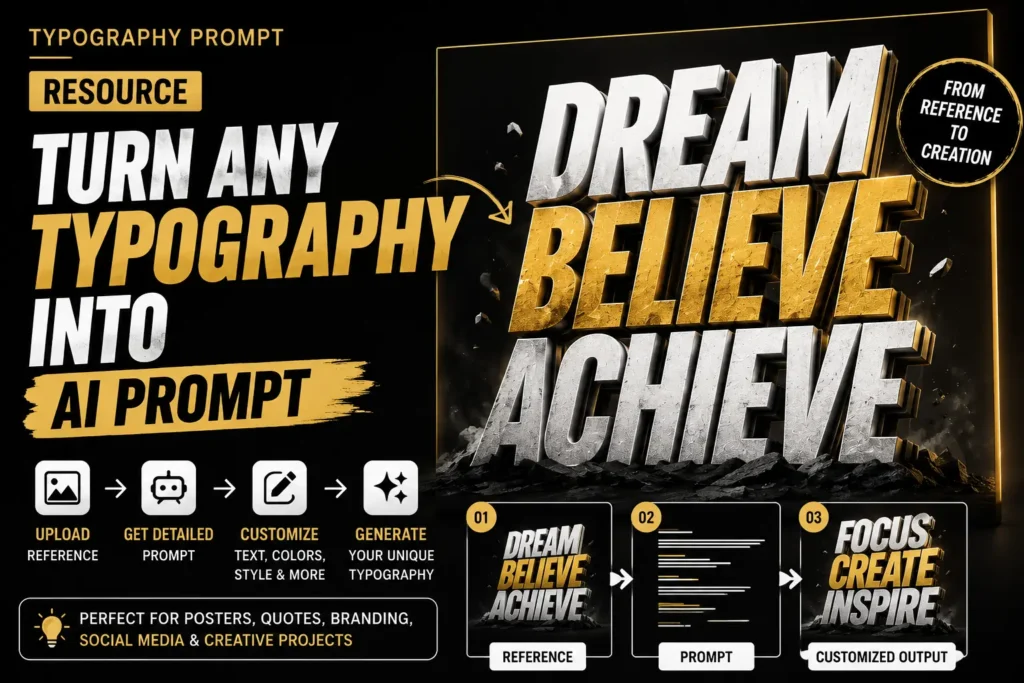
Turn Typography References Into Custom AI Prompts
Found a typography design on Pinterest that you love?
Instead of starting from scratch, use this simple workflow to understand the visual style, generate a detailed AI prompt, and customize it with your own text and creative direction.
How It Works
01 — Find a Reference
Choose a typography design that matches the style you’re looking for.
02 — Upload the Image
Upload the reference image to ChatGPT and ask it to analyze the design.
03 — Generate the Prompt
Use the prompt below to get a detailed description of the typography, composition, lighting, colors, textures, effects, and overall visual style.
04 — Customize It
Copy the generated prompt into a new AI image-generation chat. Replace the original text with your own words and modify the colors, effects, background, or other elements.
05 — Generate Your Design
Create your own typography artwork while using the reference as visual inspiration.
Copy This Prompt
Prompt:
Analyze this typography reference image and create a detailed AI image-generation prompt based on its visual characteristics.
Describe the typography style, letterform characteristics, composition, layout, font weight, spacing, perspective, 3D effects, textures, lighting, shadows, reflections, color palette, background, depth, atmosphere, and overall art direction.
Focus on describing the visual design rather than identifying the original creator, brand, or exact font.
Make the final prompt clear, detailed, and easy to copy into an AI image generator.
Do not reproduce logos, trademarks, or personal identities from the reference.
At the end, provide a separate section called CUSTOMIZABLE ELEMENTS showing which parts of the prompt I can change, such as the main text, colors, background, materials, lighting, and effects.
Customize Your Prompt
After getting the generated prompt, you can modify:
TEXT: Replace the original typography with your own word or phrase.
COLORS: Change the color palette to match your brand.
MATERIAL: Try chrome, glass, plastic, metal, liquid, stone, fabric, paper, or other textures.
LIGHTING: Experiment with neon, studio, cinematic, soft, dramatic, or rim lighting.
BACKGROUND: Replace the original background with a solid color, gradient, environment, or abstract scene.
EFFECTS: Add glow, reflection, particles, smoke, distortion, shadows, extrusion, or motion effects.
Quick Workflow
Reference Image
↓
Upload to ChatGPT
↓
Generate Detailed Prompt
↓
Copy Prompt
↓
Replace Text & Customize
↓
Generate Your Typography
Pro Tip
Don’t ask AI to simply “copy this design.”
Instead, ask it to analyze the design principles behind the reference typography, composition, lighting, materials, colors, depth, and effects.
This gives you more control and makes it easier to create a new design based on the visual direction you like.
Create. Customize. Make It Yours.